Gandi Integration

Complete guide for integrating Gandi with Domain Collective


Gandi Integration Guide

Gandi is a French domain registrar known for its strong privacy stance and "No Bullshit" philosophy. This guide covers everything you need to know about integrating Gandi with Domain Collective.

Overview

Integration Details

API Type
REST API (JSON)
Authentication
Personal Access Token (Bearer)
Token Validity
Maximum 1 year
Minimum Domains
None required

Supported Features

  • Domain synchronization

  • DNS record viewing

  • LiveDNS management

  • Nameserver updates

  • Limited privacy info

Token Expiry: Gandi Personal Access Tokens expire after a maximum of 1 year. Set a reminder to renew your token before it expires to maintain uninterrupted service.

Creating a Personal Access Token

Step 1: Access Your Account Settings

  1. Log into Gandi

    • Go to gandi.net
    • Sign in with your credentials
    • Navigate to your account dashboard
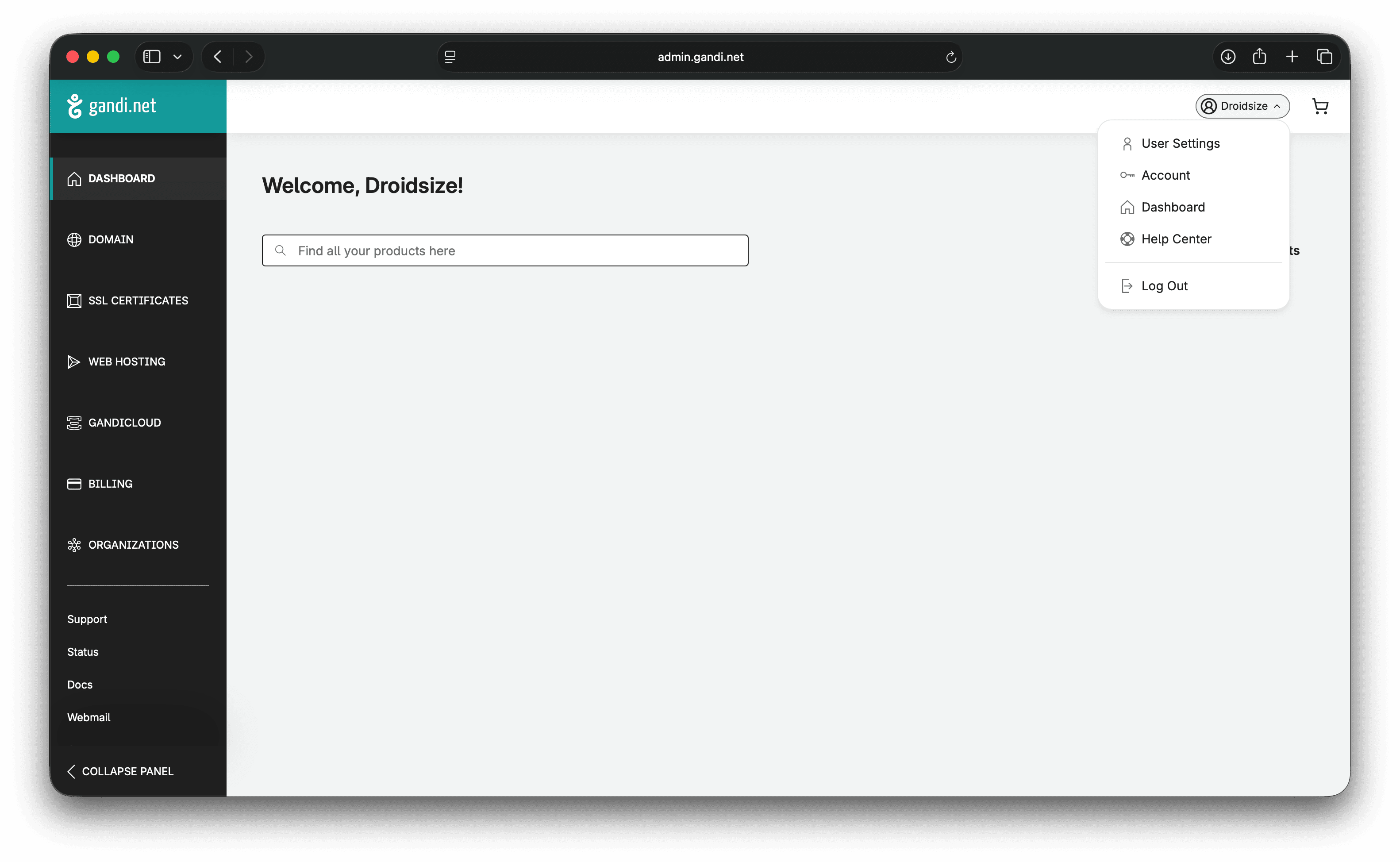
  2. Open Security Settings

    • Click your username (top right)
    • Select "User settings" or "Account settings"
    • Navigate to "Security" section

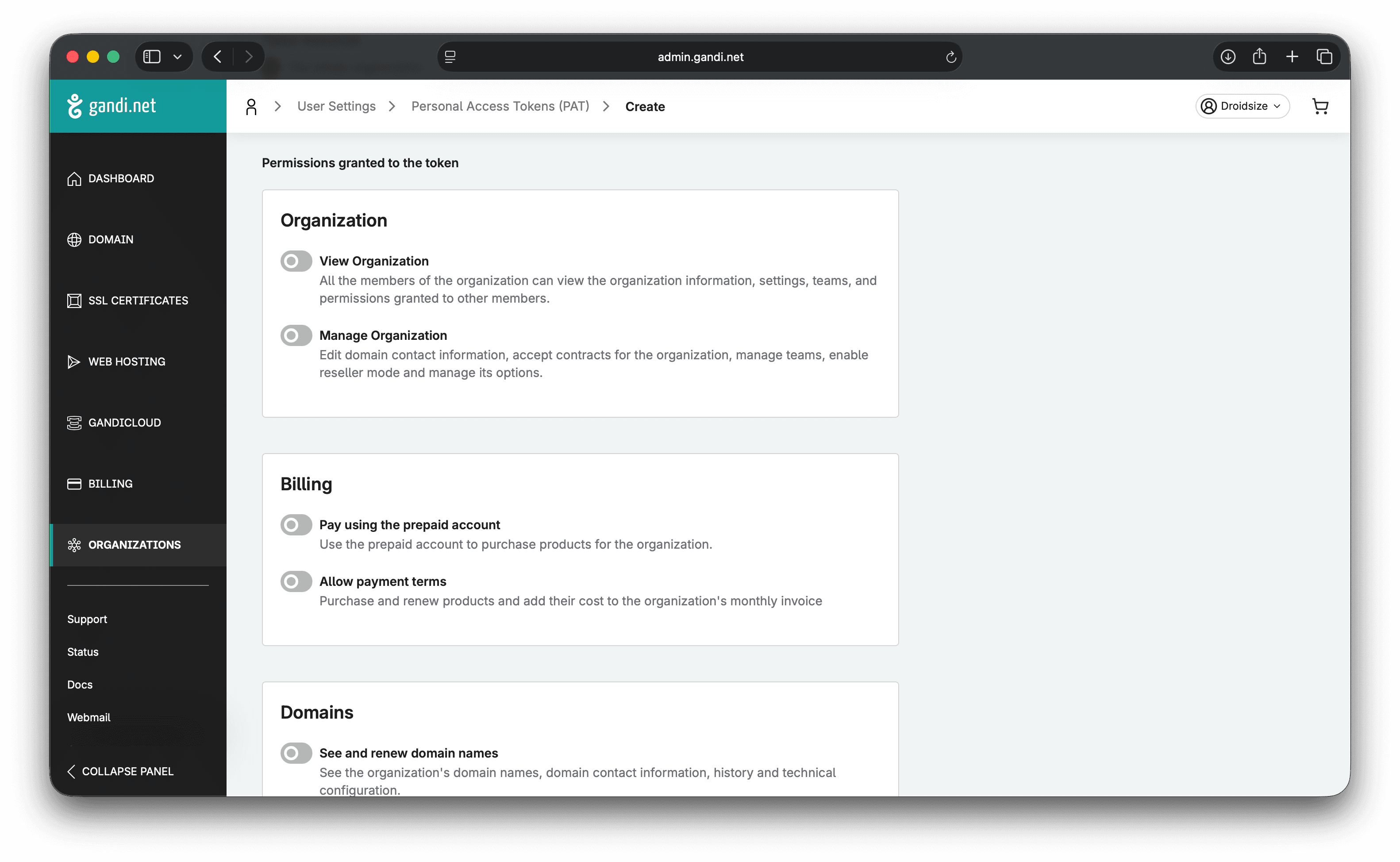
Step 2: Generate Personal Access Token

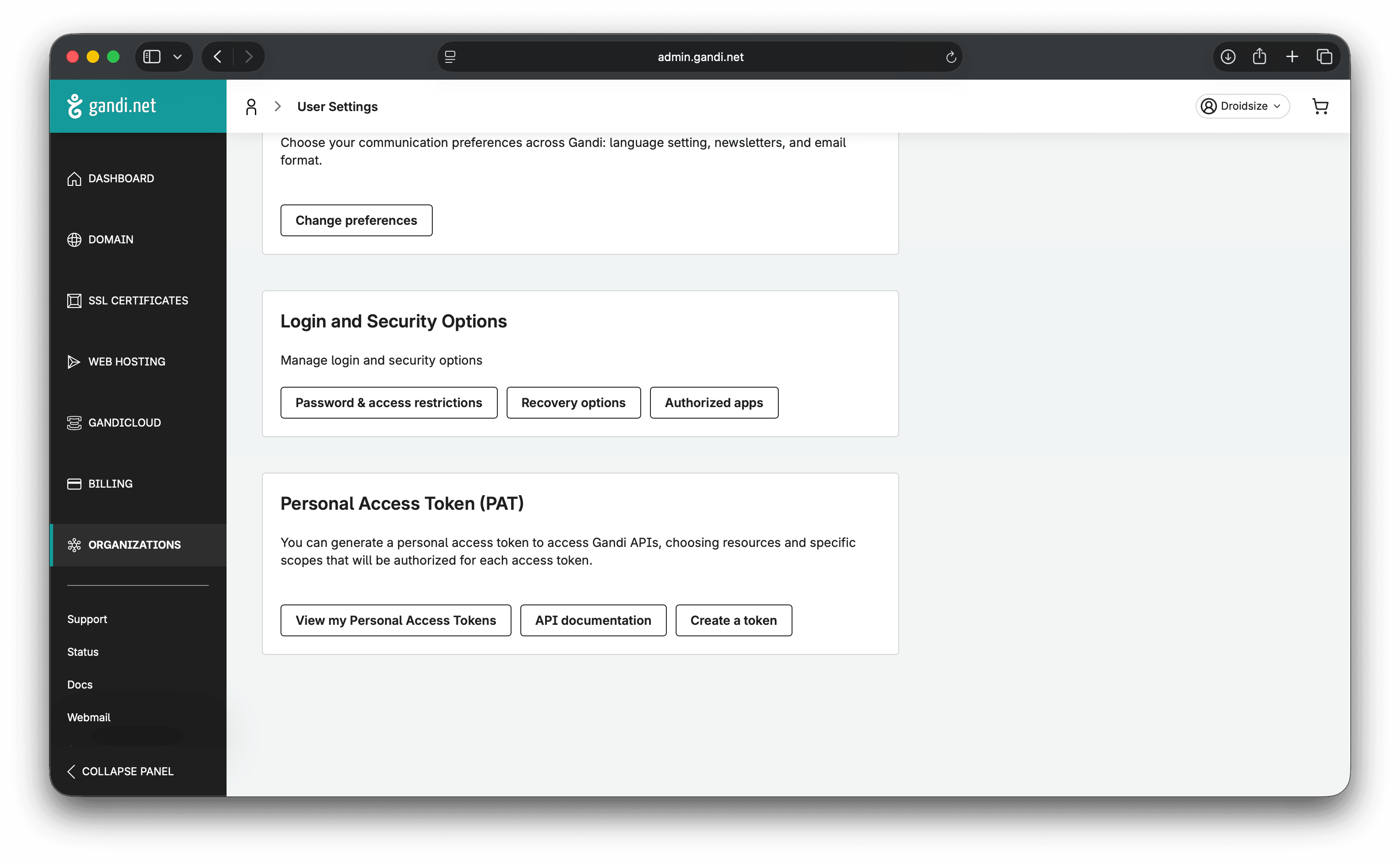
  1. Find PAT Section

    • Look for "Personal Access Tokens" or "API Keys"
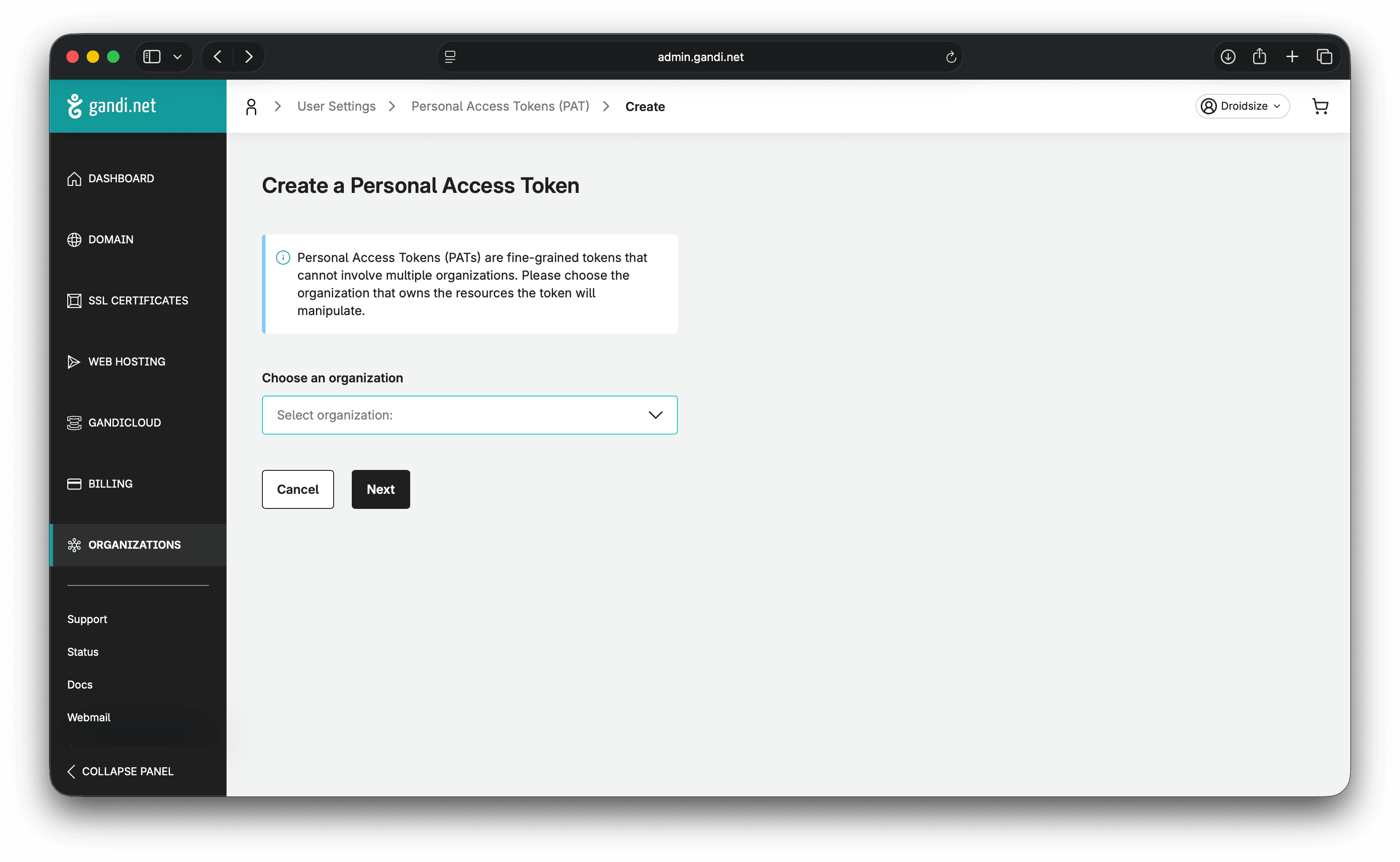
    • Click "Create a token" or "Generate new token"
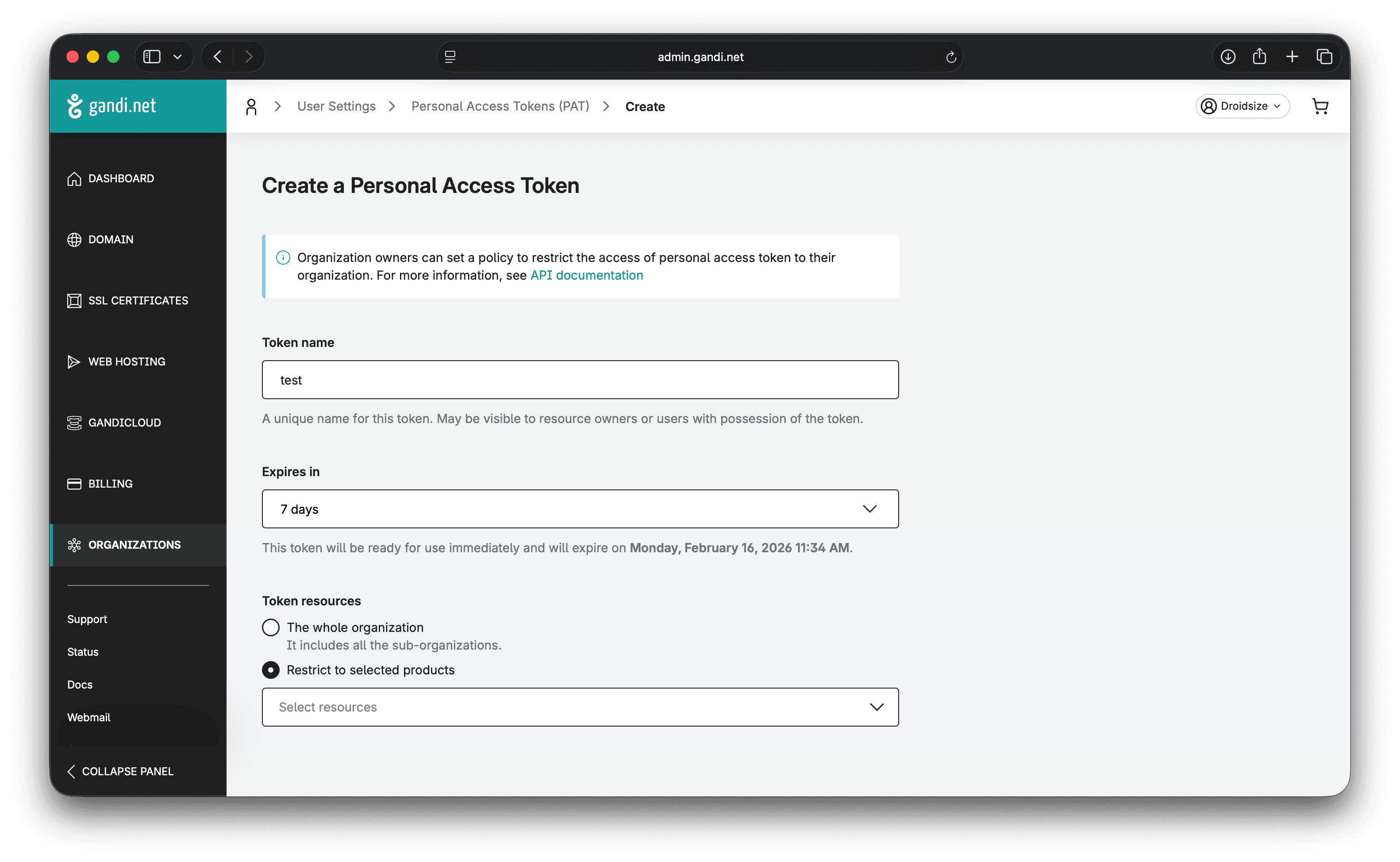
  2. Configure Your Token

    • Name: Give it a descriptive name (e.g., "Domain Collective")
    • Expiration: Choose duration (max 1 year)
    • Scopes: Select required permissions (see below)

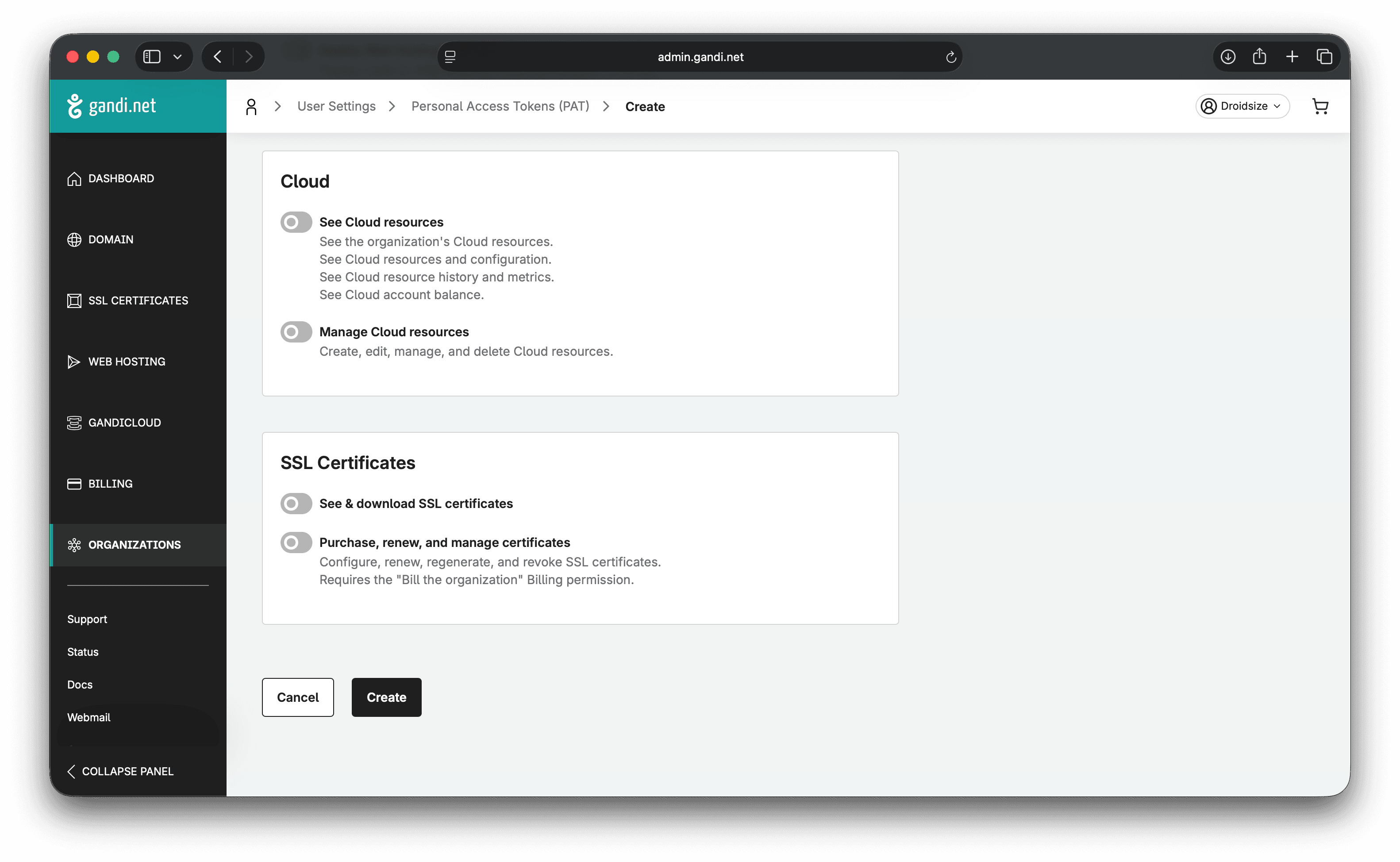
Step 3: Select Required Scopes

For Domain Collective to work properly, enable these scopes:

Required Scopes

  • domain:read - View domain information
  • domain:write - Manage domain settings
  • dns:read - View DNS records
  • dns:write - Manage DNS records

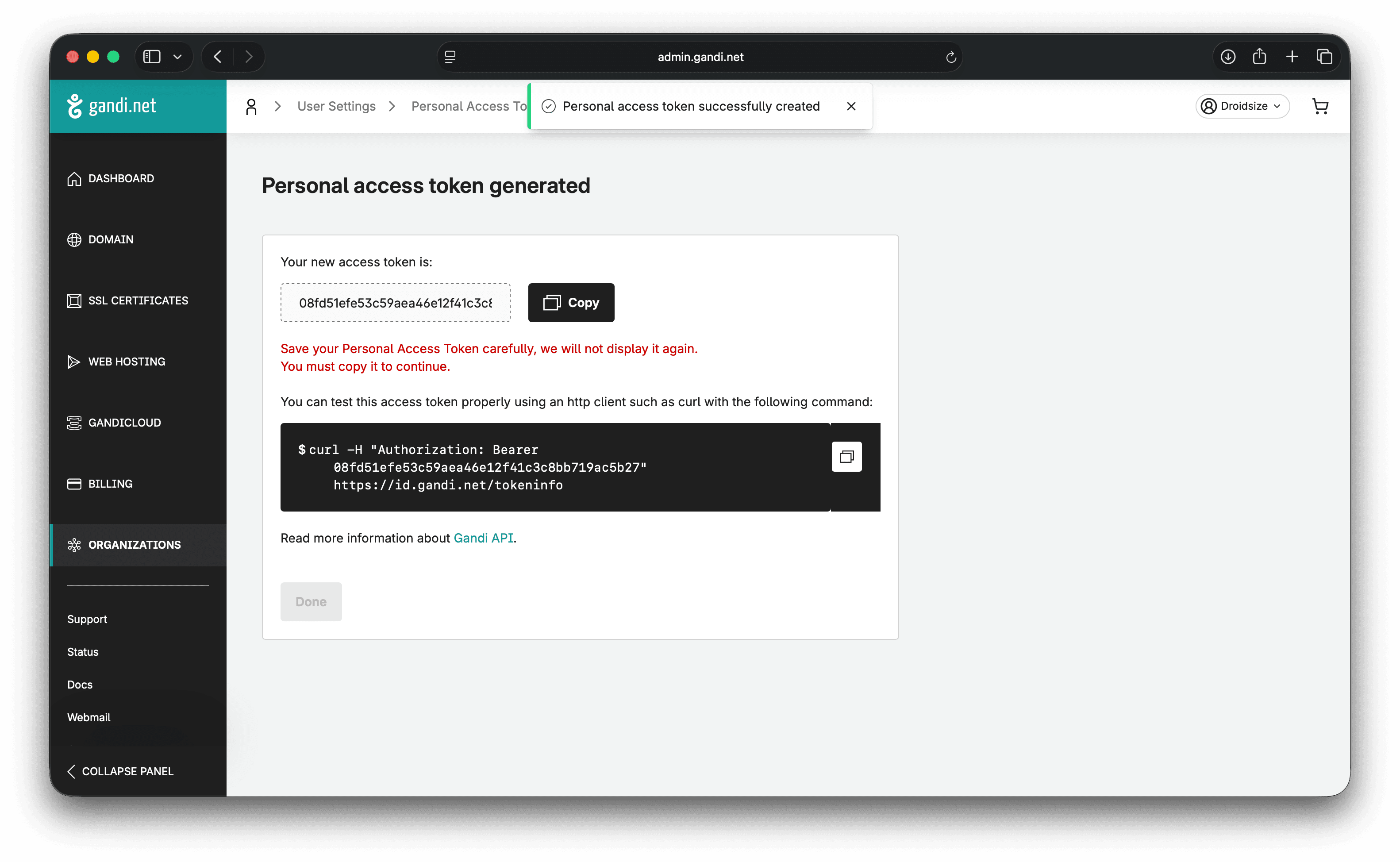
Step 4: Save Your Token

  1. Click "Create" or "Generate"
  2. COPY THE TOKEN IMMEDIATELY
  3. Store it securely - it won't be shown again!

Critical: The token is displayed only once! If you lose it, you'll need to generate a new one.

Adding to Domain Collective

Integration Process

  1. Navigate to Integrations

    • Log into Domain Collective
    • Click "Integrations" in the sidebar
    • Click "Add New Integration"
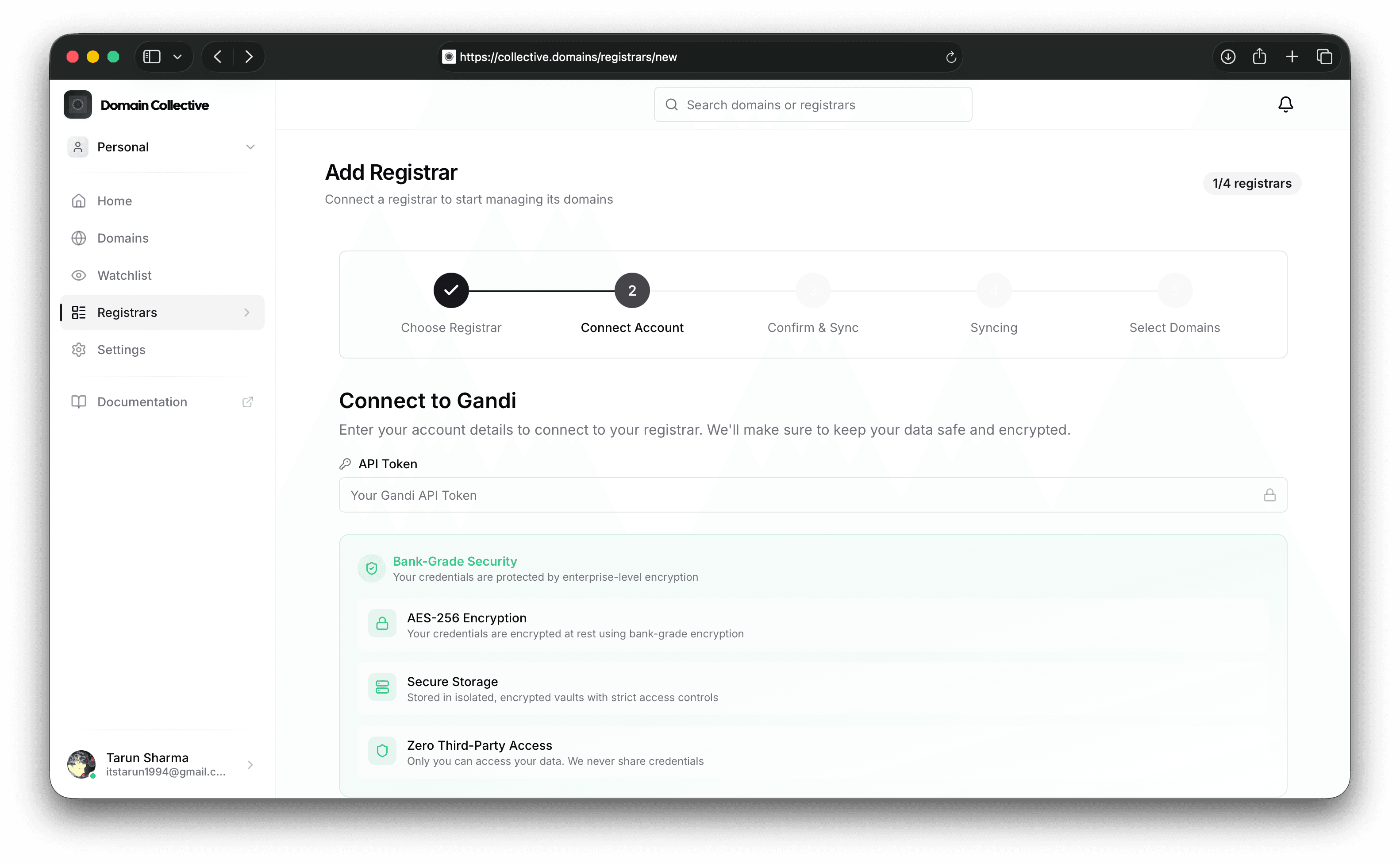
  2. Select Gandi

    • Click the Gandi card
    • A single field form appears
  3. Enter Token

    API Token: [Paste your Personal Access Token]
    
  4. Submit and Sync

    • Click "Add Integration"
    • Automatic sync begins immediately
    • Wait for completion (usually 1-2 minutes)

Understanding Gandi's API

API Structure

Gandi uses a modern REST API with some unique field naming:

{
  "fqdn": "example.com",           // Not "domain"
  "dates": {
    "registry_created_at": "...",  // Not "createdAt"
    "registry_ends_at": "..."      // Not "expires"
  },
  "autorenew": true,               // Not "renewAuto"
  "status": ["clientTransferProhibited"]
}

LiveDNS vs Domain API

Gandi separates DNS management into two APIs:

  • Domain API: Domain info, nameservers
  • LiveDNS API: DNS records management

Domain Collective handles both automatically.

Features and Capabilities

What Gets Synced

Data TypeDetailsNotes
Domain InfoFQDN, status, datesUses fqdn field
DNS RecordsAll LiveDNS recordsrrset_ prefixed fields
NameserversCurrent configurationVia domain API
Auto-RenewalRenewal settingsautorenew field
Domain StatusLock and transfer statusArray of statuses
OrganizationOwner organizationIf applicable

Field Mapping Specifics

Gandi uses unique field names that Domain Collective maps automatically:

Gandi FieldStandard FieldDescription
fqdndomainNameFully qualified domain name
dates.registry_created_atregistrationDateCreation date
dates.registry_ends_atexpiryDateExpiration date
autorenewautoRenewAuto-renewal status
rrset_namenameDNS record name
rrset_typetypeDNS record type
rrset_valuesvalueDNS record values (array)
rrset_ttlttlDNS time-to-live

Managing Your Integration

Token Expiration Handling

Domain Collective helps you manage token expiration:

  1. Expiry Detection

    • Automatic detection when token expires
    • Clear error message on integration card
    • "Update Credentials" button appears
  2. Token Renewal Process

    • Generate new token in Gandi
    • Click "Update Credentials"
    • Paste new token
    • Integration continues without data loss

Setting Renewal Reminders

Best practice for token management:

  1. Note expiry date when creating token
  2. Set calendar reminder 1 week before
  3. Generate new token before expiry
  4. Update in Domain Collective immediately

Troubleshooting

Common Issues

"Invalid Token" or "401 Unauthorized"

Causes:

  • Token expired (most common)
  • Token copied incorrectly
  • Missing required scopes

Solutions:

  1. Generate new token in Gandi
  2. Ensure all required scopes selected
  3. Copy entire token (no spaces)
  4. Update credentials in Domain Collective

"Token Expired"

Causes:

  • PAT reached expiration date
  • Token revoked manually

Solutions:

  1. Log into Gandi account
  2. Create new Personal Access Token
  3. Update via "Update Credentials" button
  4. No need to delete/recreate integration

"No Domains Found"

Causes:

  • No active domains in account
  • Token missing domain:read scope
  • Domains transferred out

Solutions:

  1. Verify domains in Gandi account
  2. Check token has correct scopes
  3. Generate new token with all scopes
  4. Try manual sync

"DNS Records Not Loading"

Causes:

  • Missing dns:read scope
  • Domain not using Gandi LiveDNS
  • API response format issue

Solutions:

  1. Check if domain uses Gandi nameservers
  2. Verify token has DNS scopes
  3. Try manual sync
  4. Contact support with domain name

API Response Issues

Gandi's API has some quirks to be aware of:

  1. Array Values: DNS rrset_values is always an array
  2. Date Format: ISO 8601 with timezone
  3. Status Array: Domain status is an array of strings
  4. FQDN Format: Always includes trailing dot internally

Advanced Features

LiveDNS Management

Gandi's LiveDNS is a powerful DNS service:

  1. Automatic Zones

    • Created automatically per domain
    • Separate from domain API
  2. Record Types

    • Supports all standard types
    • Plus CAA, TLSA, SSHFP
  3. Snapshots

    • DNS configuration versioning
    • Rollback capability

Nameserver Configuration

Update nameservers for Gandi domains:

  1. Navigate to domain details
  2. Click "Edit Nameservers"
  3. Choose Gandi LiveDNS or custom
  4. Changes apply immediately

API Rate Limits

Gandi's API has generous limits:

  • Rate: 120 requests per minute
  • Burst: Short bursts allowed
  • Daily: No daily maximum
  • Pagination: 100 items per page

Security Considerations

Token Security

  • Treat like passwords: Never share or expose
  • Minimal scopes: Only enable required permissions
  • Regular rotation: Generate new tokens quarterly
  • Revoke unused: Delete old tokens in Gandi

Gandi Security Features

  • Token expiration: Maximum 1 year validity
  • Scope limitation: Fine-grained permissions
  • Activity logs: Monitor API usage
  • 2FA support: Enable on Gandi account

Domain Collective Security

Your Gandi token is protected by:

  • Encrypted storage: AES-256 encryption
  • Secure transmission: TLS 1.3
  • No token logging: Never written to logs
  • Isolated access: Per-user separation

Best Practices

  1. Token Management

    • Set renewal reminders
    • Use descriptive token names
    • Document expiry dates
    • Keep backup token ready
  2. Regular Syncing

    • Weekly sync recommended
    • After DNS changes
    • Before domain expiry
  3. Security

    • Enable 2FA on Gandi
    • Use minimal token scopes
    • Monitor API activity
    • Rotate tokens regularly
  4. Multiple Organizations

    • Separate tokens per org
    • Add as different integrations
    • Track token expiry per org

Migration from v4 API

If you're migrating from Gandi's older v4 API:

Key Differences

  • Authentication: PAT instead of API key
  • Field names: Different naming convention
  • Endpoints: New URL structure
  • Response format: Consistent JSON

Migration Steps

  1. Generate PAT in new system
  2. Update Domain Collective integration
  3. Remove old v4 API key
  4. Verify sync works correctly

Frequently Asked Questions

Why do tokens expire after 1 year? This is a Gandi security policy to ensure tokens are regularly rotated. It cannot be extended beyond 1 year.

Can I use the same token for multiple services? Yes, but it's more secure to use separate tokens for each service. This way, revoking one doesn't affect others.

What happens when my token expires? The integration will show an authentication error. Your domains remain in Domain Collective but won't sync until you update the token.

Do I need all the scopes? For full functionality, yes. You could use fewer scopes, but some features won't work (e.g., no DNS without dns:read).

Can I have multiple Gandi accounts? Yes, add each as a separate integration with its own token. There's no limit to the number of integrations.

Getting Help

If you need assistance with your Gandi integration:

  1. Check Token Expiry: Most issues are expired tokens
  2. Verify Scopes: Ensure all required permissions
  3. Review Errors: Check integration card for details
  4. Contact Support: Email support@collective.domains with:
    • Integration ID
    • Error message
    • Token expiry date
    • Affected domains

Additional Resources


Next: Explore Domain Features → or return to Documentation Home →