What Is an SSL/TLS Certificate and How Do You Get One?

SSL is the old name most people still use, but modern websites use TLS. An SSL/TLS certificate lets a browser confirm it is talking to the right site and encrypt traffic over HTTPS. For website owners, the important part is not only getting a certificate once. It is making sure certificates renew reliably before they expire.
- What is an SSL Certificate?
- Checking SSL Certificate: HTTP & HTTPS Protocols?
- How to Get an SSL Certificate?
- Conclusion
- FAQs
What is an SSL Certificate?
SSL stands for Secure Sockets Layer, but SSL has largely been replaced by TLS, or Transport Layer Security. People still say "SSL certificate" because the phrase is familiar. The certificate helps authenticate a website and enables encrypted communication between the browser and server.
An SSL certificate is a type of digital certificate that provides authentication for a website and enables an encrypted connection. These certificates communicate to the client that the web service host demonstrated ownership of the domain to the certificate authority at the time of certificate issuance. This authentication process is much like sealing a letter in an envelope before sending it through the mail.
Checking SSL Certificate: HTTP & HTTPS Protocols?
To check if you have an SSL certificate or not, you need to observe your browser's address bar.
If your website starts with 'https://', it means you have an SSL certificate, where 's' stands for 'secure'.
On the other hand, if your website starts with 'http://', it indicates that your website is not secured by an SSL certificate.
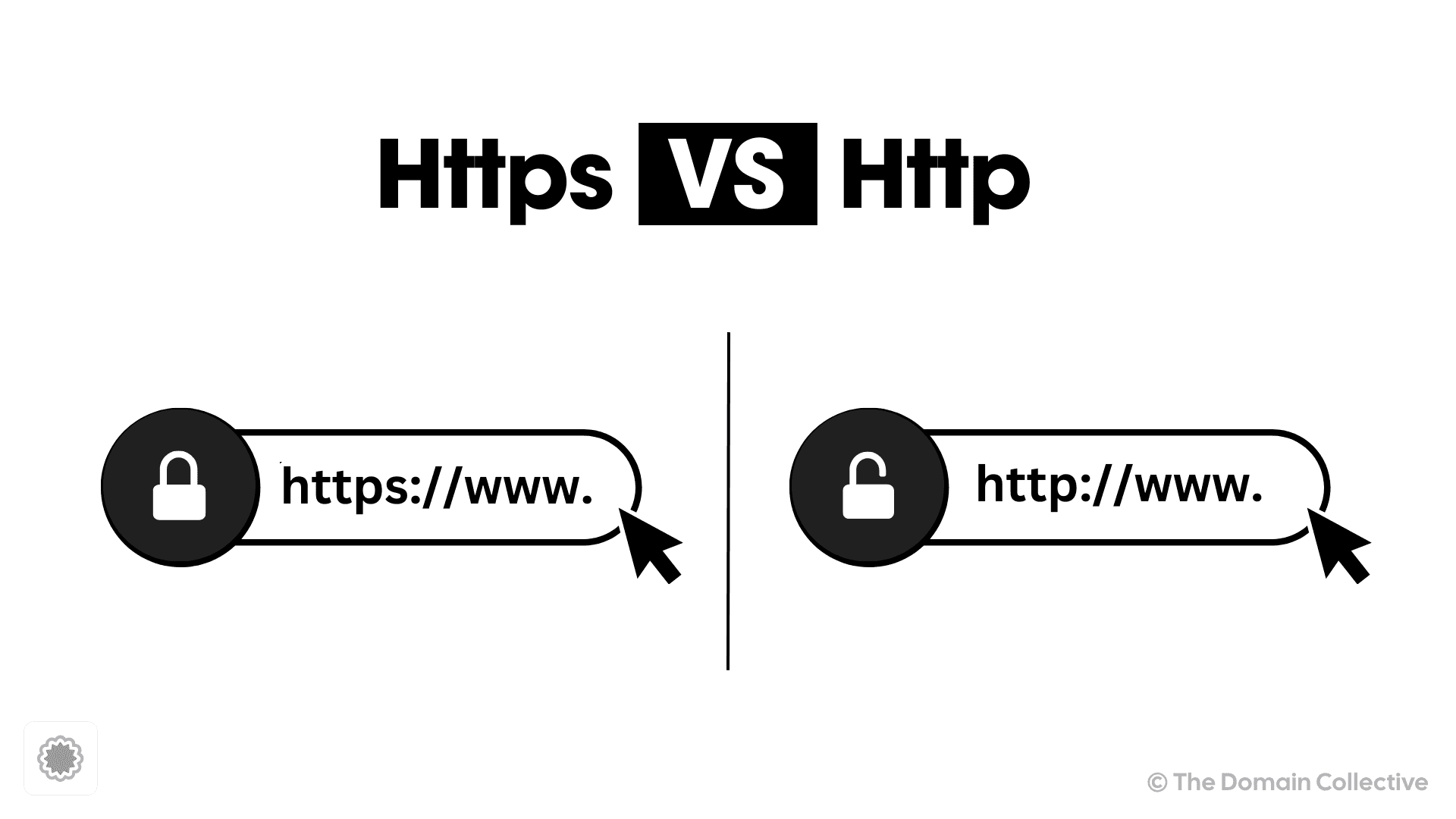
Moreover, many modern browsers also display a padlock icon before the address if the website is secured with SSL. If you click on this padlock, you can view more details about the SSL certificate. Therefore, by checking the protocol in your browser (HTTP or HTTPS), you can easily determine whether your website has an SSL certificate or not.
How to Get an SSL Certificate?
Obtaining an SSL/TLS certificate usually involves these steps:
-
Choose the Type of SSL Certificate You Need: There are three types of SSL certificates - Domain Validation (DV), Organization Validation (OV), and Extended Validation (EV). DV is the most basic level of SSL, and only validates domain ownership. OV and EV offer a higher level of security and require additional validation.
-
Use a certificate authority: Certificates are issued by Certificate Authorities (CAs). Many sites use free automated certificates through their host, CDN, or Let's Encrypt. Some organizations buy OV or EV certificates when they need additional business validation.
-
Generate a Certificate Signing Request (CSR): The CSR is a block of encoded text that is given to a CA when applying for an SSL Certificate. It is usually generated on the server where the certificate will be installed and contains information that will be included in the certificate such as the organization name, common name (domain name), locality, and country.
-
Apply for the SSL Certificate: Submit the CSR and other necessary information to the Certificate Authority. The CA will then go through a validation process to verify your submitted information.
-
Install the SSL Certificate: Once the SSL Certificate is issued, it can be installed on the server. The process for this will vary depending on your hosting provider. Some web hosting providers offer free SSL installation, so make sure to check with them.
-
Update Your Website to Use HTTPS: After the certificate is installed, update the site to use HTTPS, redirect HTTP to HTTPS, and check that images, scripts, forms, and canonical URLs also use HTTPS.
Why Renewal Automation Matters
Certificate lifetimes are getting shorter across the web. That is good for security, but it raises the cost of manual certificate management. If a certificate expires, visitors may see a scary browser warning even when your website and domain are otherwise healthy.
For each important domain, track:
- where the certificate is issued
- whether renewal is automatic
- who receives failure alerts
- whether DNS validation records are still present
- which production hostname depends on the certificate
Conclusion
SSL/TLS certificates are essential infrastructure. The safest setup is automated: the certificate renews before expiry, DNS validation records are documented, and the team receives alerts before visitors see a browser warning.
FAQs
-
What is an SSL Certificate?
An SSL Certificate is a digital certificate that authenticates a website's identity and enables an encrypted connection. -
Why do I need an SSL Certificate?
SSL Certificates protect your sensitive information such as credit card information, usernames, passwords etc. It also:
- Keeps data secure between servers
- Helps browsers, users, and search engines treat the site as safe to visit
- Enhances customer trust
- Improves conversion rates
-
How do I get an SSL Certificate?
You can get an SSL certificate by purchasing one from a Certificate Authority (CA), generating a Certificate Signing Request (CSR), applying for the certificate, and then installing it on your server. -
What are the different types of SSL Certificates?
There are three types of SSL Certificates: Domain Validation (DV), Organization Validation (OV), and Extended Validation (EV). They offer varying levels of validation. -
How much does an SSL Certificate cost?
The cost of an SSL certificate can vary greatly depending on the type of certificate and where you purchase it from. Some certificates can be obtained for free, while others can cost hundreds of dollars per year.
Get domain tips in your inbox
Join domain professionals who get weekly tips on domain management, DNS, and registrar best practices.
No spam. Unsubscribe anytime.